

Heartopia IPA
by XD Entertainment Co., Ltd.
- 4.6 34.8K ratings
- v0.5.5Version
- 3.6 GBSize
- iOS 12.0+Requires
- 9+Age
Free · 3.6 GB · iOS 12.0 or later
Heartopia screenshots




Heartopia for iPhone & iPad
Welcome to Heartopia, a multiplayer life simulation game crafted for creativity, freedom, and peace. Build your dream home, explore a wide range of hobbies, and forge warm connections with friends in a town full of endless possibilities.
[Game Features]
◆ Let's Connect! Create Unique Memories
Chat with the charming residents of Heartopia Town, hang out with old friends, and meet new friends every time you log in!
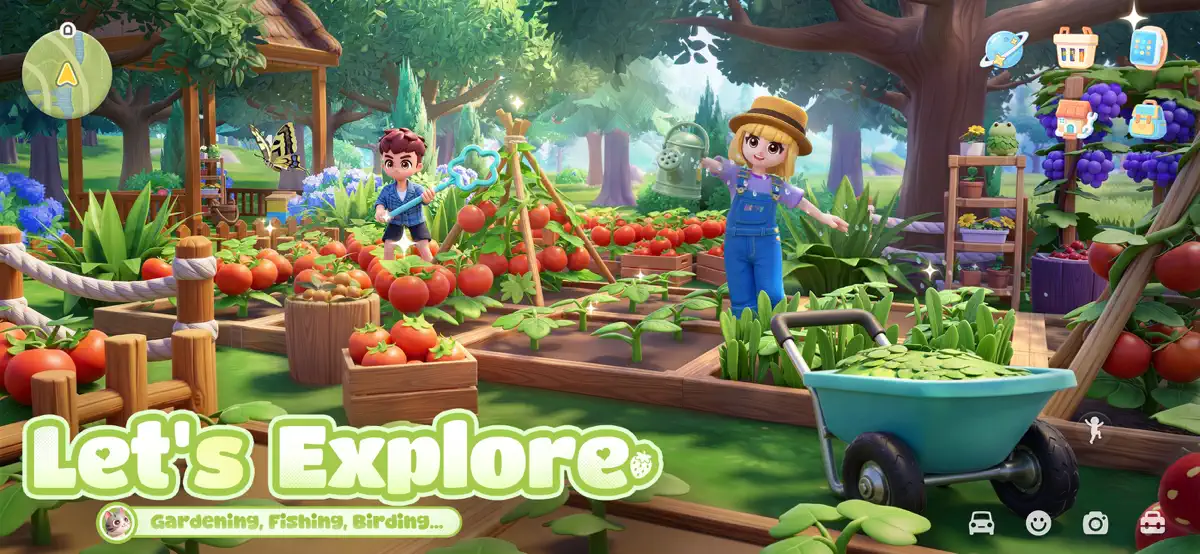
◆ Let's Explore! Gardening, Fishing, Birding...
Hobbies are yours to enjoy, not chores. In Heartopia, feel free to develop six major hobbies, including fishing, cooking, gardening, birdwatching, and more.
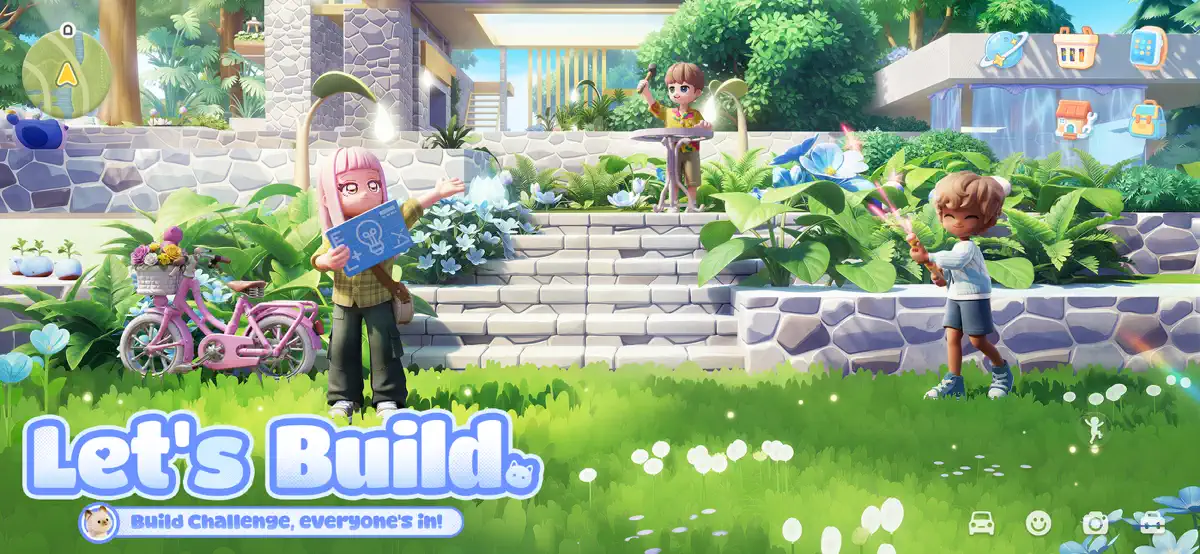
◆ Let's Build! Design Your Dream House
Whether you dream of a cozy cottage or a magnificent mansion, Heartopia gives you the tools to turn your vision into a reality. You can also invite your friends over and build your dream home together.
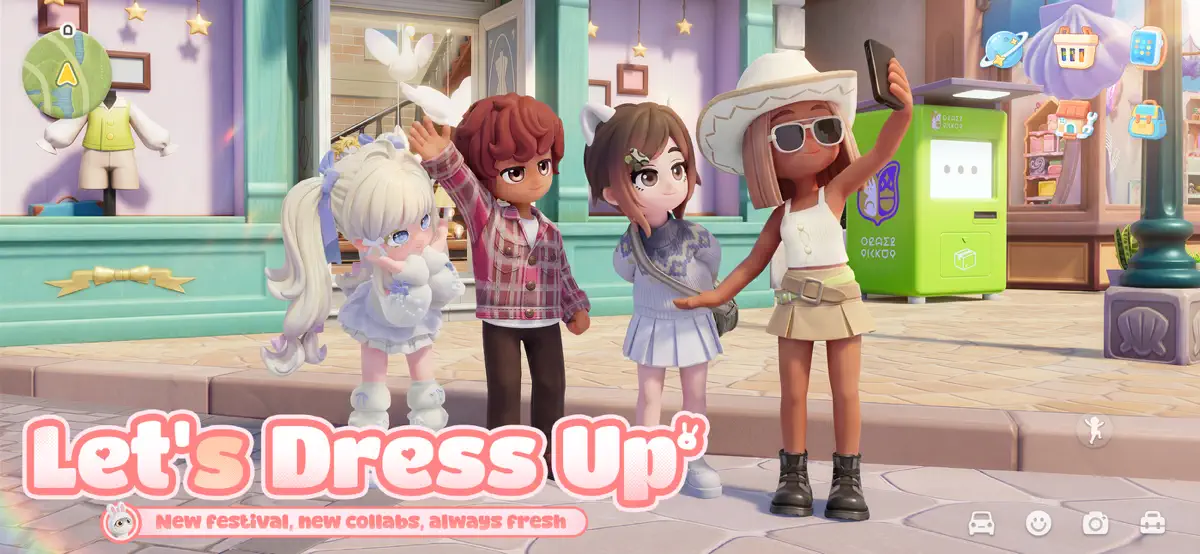
◆ Let's Dress Up! 1000+ Daily Outfits
Mix and match casual wear, elegant gowns, and whimsical costumes to create the perfect look for any occasion. Express your mood and show the world who you are.
◆ Let's Pet! Adopt Cats and Dogs
Meet your very own animal companions in Heartopia! While each of your furry friends may come with different colors and personalities, they can all bring you warmth and comfort.
[Follow Us]
X:@myheartopia
TikTok:@heartopia_en
Facebook:Heartopia
Instagram:@myheartopia
YouTube:@heartopia-official
What's new in Heartopia v0.5.5
Aug 25, 2026◆New Features◆
[Hot Air Balloon Event]
Take to the sky with your friends in a hot air balloon. Enjoy the whole new view of the flower sea.
How to Play: Once D.G. Members reach level 18, they can start this event through Gazing Boy. Eligible members will receive a Hot Air Balloon Event invitation every Saturday and Sunday at 4:00 PM (Server Time). Please note that the event cannot take place on rainy or snowy days.
Once the event begins, you can choose between the Flower Field Route and the Town Sky Tour to enjoy the sights. Each hot air balloon can carry up to 6 members at a time.
[Friend Styling]
Go face-to-face with a friend and style a look you'll both adore!
How to Play: Once the Friend level reaches 2, D.G. Members can start Friend Styling and invite their friends to join.
When it begins, the helper can use their friends' clothing to dress them in real time. Both members can chat and interact with emotes. After finishing the styling, the outfit can be saved.
[Photography Update]
1. The Camera now features a Selfie mode that can be toggled among Default, First-Person, and Selfie. Please note: Selfie mode is currently unavailable in Whalefall Canyon.
2. Selfie mode supports switching between selfie actions and facial expressions. You can also drag on the screen to adjust the background angle.
3. The Camera's zoom range has been expanded, and wide-angle shots are now supported.
[Main Story Quest Update]
After the Fashionwave ends, Whalefall Canyon will get a Main Story Update. D.G. Members who have reached the required Home Level can accept Main Story Quests from the Whalefall Canyon main screen. The quest chain is divided into three parts.
By completing these quests, you'll earn rewards such as Exploration Level XP and Certificates of Exploration, unlocking even more Whalefall Canyon content. D.G. Members who have already completed all quests in the current Fashionwave can choose to skip the Main Story Quests and claim all quest rewards directly.
As you progress through the Main Quests, the Cleanliness cap for each area of Whalefall Canyon will also gradually increase.
[New Arrivals in Store]
1. The Furniture Shop will now carry a hair salon-themed furniture set, including the Reclining Shampoo Chair, Barber Chair, Perm Machine, Barber Pole Lamp, Standing Vanity Mirror, and more. Some pieces include multiple color variants. A new showroom will also be added.
2. The Self-Service Lab now offers new interactive furniture research: Wall‑Mounted Control Panel, Control Console, Floor-Standing Control Panel, Master Control Console, Floor‑Standing Master Button, Ceiling‑Mounted Master Button, and Wall‑Mounted Master Button. Some items come in multiple styles, and all can be obtained by completing their research.
[Party Feature]
1. Added a tutorial button on the Party interface.
2. While a party is in progress, outside buff effects will be removed and the remaining duration restored after the party ends.
3. Chatting with strangers is now available during the preparation phase of Hide & Seek Party.
4. Optimized the skill for the Mimic: after the skill ends, the Mimic will keep their current facing direction instead of automatically turning back to the original orientation.
How to install Heartopia on iPhone & iPad
Method 1: With the IPA Game Store app
- Tap Get on IPA Game Store above, then download IPA Game Store in Safari on your iPhone or iPad.
- Open Settings › Profile Downloaded and tap Install. The app appears on your Home Screen.
- Open IPA Game Store and find Heartopia.
Method 2: From the App Store
Heartopia is also on the App Store. Installing it there means no signing and no 7-day refresh, and updates arrive automatically. View Heartopia on the App Store.
Method 3: Sideload an IPA you own
If you have your own copy of the IPA file, sign and install it with LiveContainer, SideStore or AltStore. Our IPA install guide compares every method.
Having trouble? See why an IPA installation fails or installing IPA on iPad.
Heartopia compatibility & known limitations
| Minimum iOS | iOS 12.0 or later |
|---|---|
| Devices | iPhone & iPad |
| Size | 3.6 GB download, plus extra data on first launch for many games |
| Internet | Online connection required |
| Release type | Official App Store release |
| Last checked | Not yet reviewed. Version data last changed Aug 25, 2026 |
Known limitations
- Installed from the App Store, so it updates automatically and needs no signing.
- Purchases, saved progress and sign-in with Game Center or social accounts can behave differently outside the App Store.
- Needs an internet connection. Servers can change or shut down at the developer's discretion.
Is Heartopia safe?
Source & verification
- Source
- Official App Store release
- Type
- Official release
- Developer
- XD Entertainment Co., Ltd.
- Last verified
- Not yet reviewed
- SHA-256
- Not published
We host no IPA file for this game. It is installed from the developer's App Store listing, or through the free IPA Game Store app, which also installs from the App Store. How we check files · Report a problem
- Check before you install. Only install IPA files from sources you trust, and verify the checksum and signature first.
- Developer: XD Entertainment Co., Ltd. · Bundle ID
com.xd.xdtglobal - Sandboxed. iOS runs every app in its own sandbox. A game cannot read your other apps' data without asking you.
- Age rating 9+. Use Screen Time to limit in-app purchases on a child's device.
- Avoid "modded" copies. Modified IPAs that promise unlimited coins can include tracking code and can get your account banned. Read more about IPA safety.
Heartopia update history
| Version | Released | Size | Changes |
|---|---|---|---|
| v0.5.5 Latest | Aug 25, 2026 | 3.6 GB | ◆New Features◆ [Hot Air Balloon Event] Take to the sky with your friends in a hot air balloon. Enjoy the whole new view of the flower sea… |
Heartopia IPA — FAQ
How do I get Heartopia on iPhone?
Is Heartopia free?
What iOS version does Heartopia need?
How big is Heartopia?
Does Heartopia work on iPad?
Is this a modded or clean IPA file?
More simulation IPA games
See all → Golf Clash - Golfing Simulator
Electronic Arts
★ 4.5
 Avatar World ®
Pazu Games Ltd
★ 4.7
 Retro Bowl
New Star Games
★ 4.8
 Block Craft 3D: Building Games
Wildlife Studios
★ 4.6
 Idle Miner Tycoon: Gold digger
Kolibri Games GmbH
★ 4.7
 My Talking Tom 2
Outfit7 Limited
★ 4.5
 Snake Clash!
Supercent, Inc.
★ 4.6
 My Perfect Hotel
SayGames LTD
★ 4.7
