

⌂ Family game · ✈ Offline
ColorLookFu IPA
by Babirkha Kakhramonov
- 4.9 21 ratings
- v1.0.2Version
- 78.6 MBSize
- iOS 15.6+Requires
- 4+Age
Free · 78.6 MB · iOS 15.6 or later
ColorLookFu screenshots

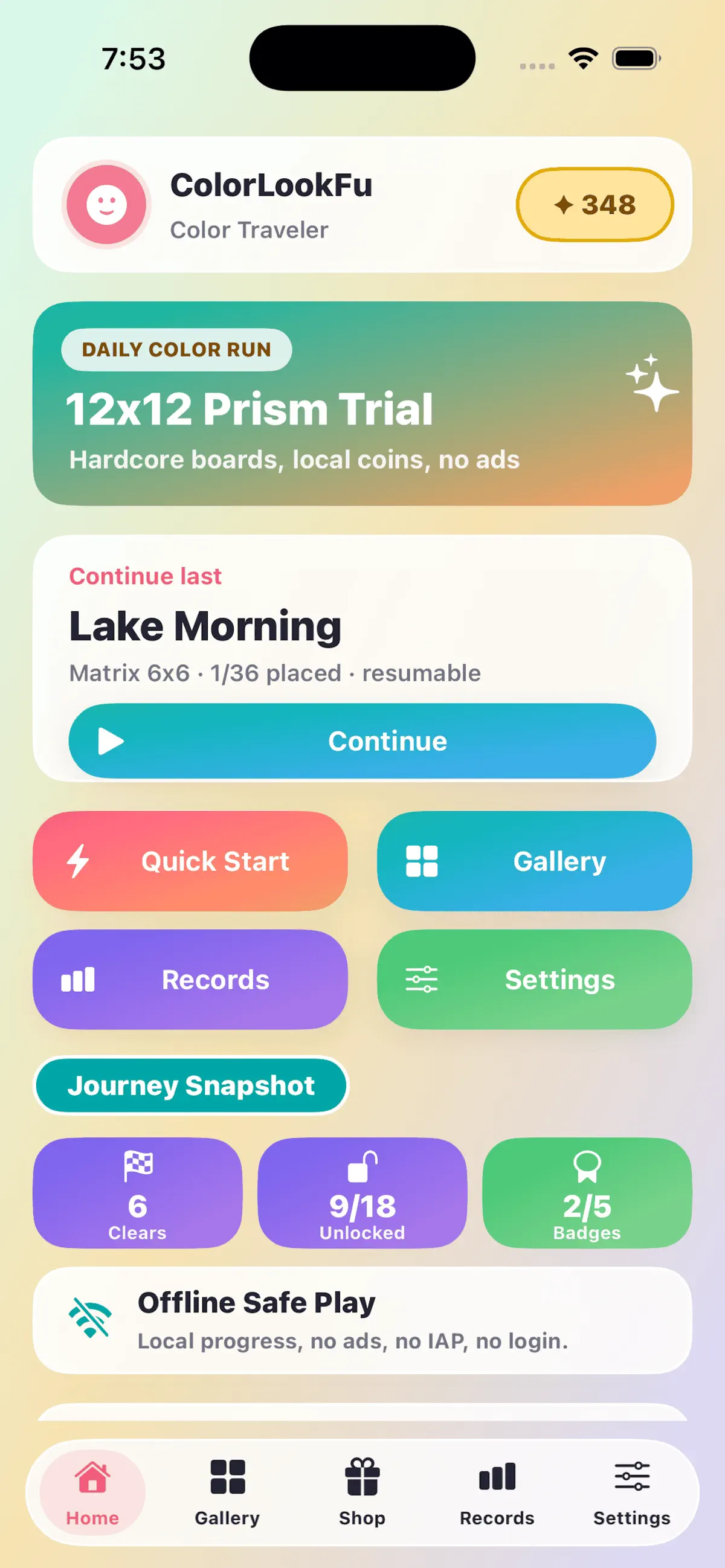
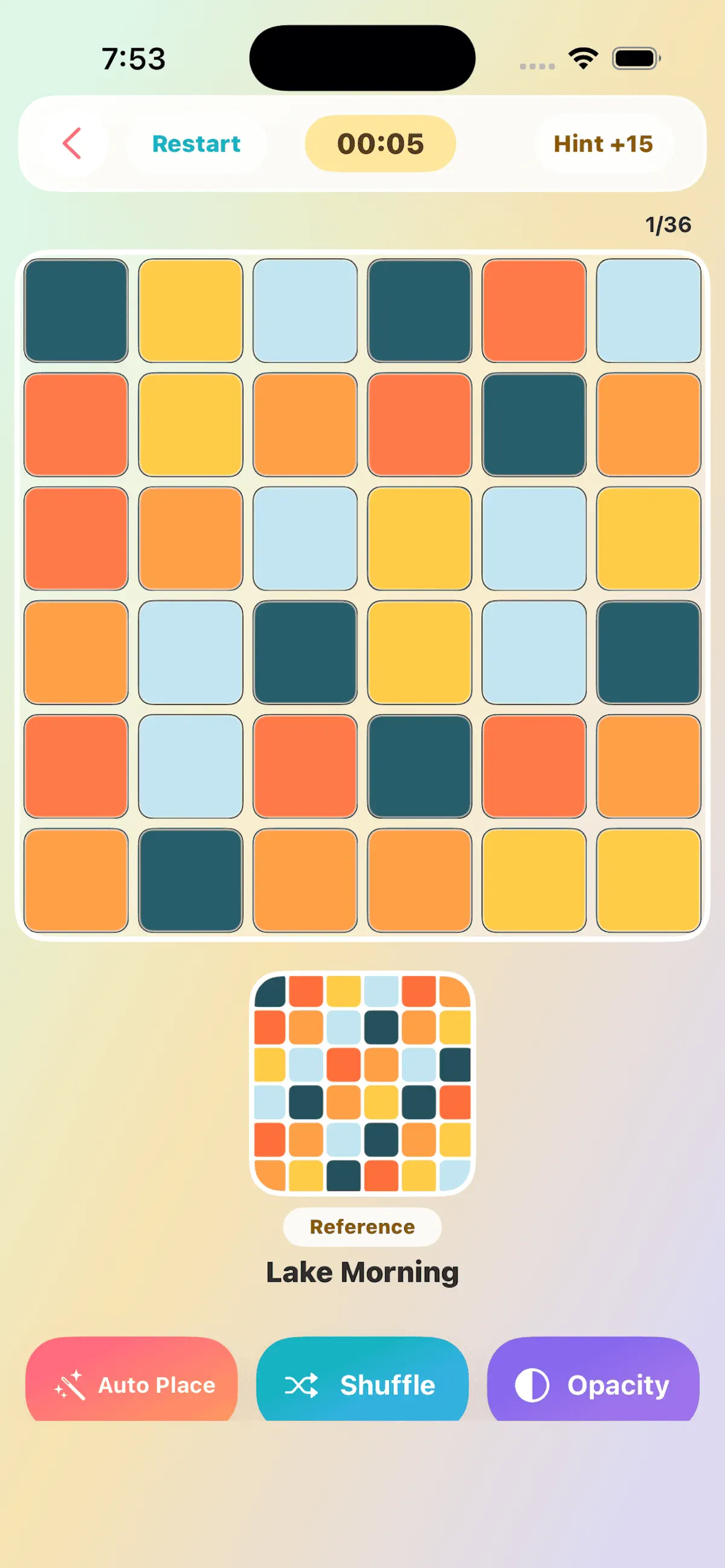


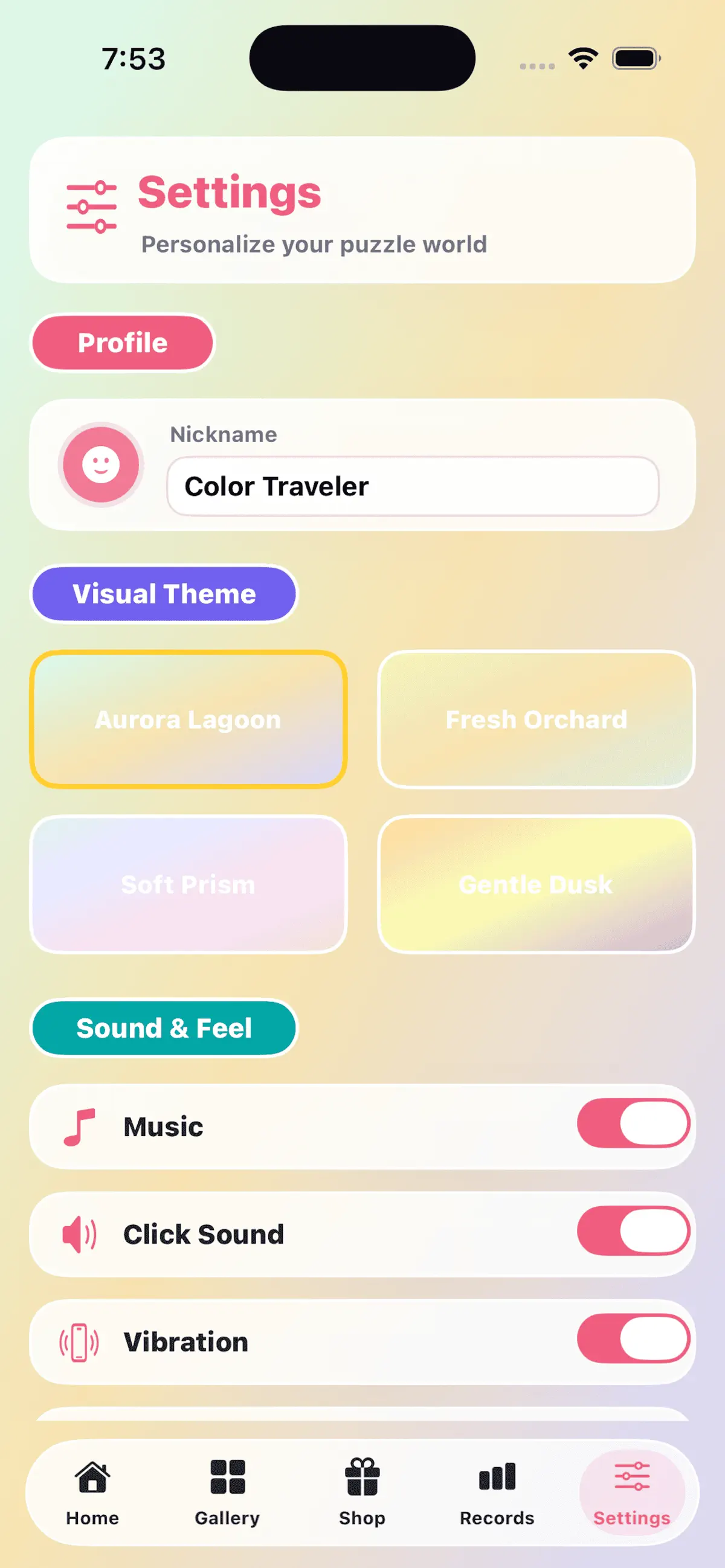
ColorLookFu for iPhone & iPad
ColorLookFu is an offline color puzzle game built around clean pure-color puzzle blocks. Players choose a board from the gallery, drag pieces into place, and complete each color composition at their own pace.
Core Features
- Completely offline gameplay
- English interface
- Pure-color puzzle pieces
- Multiple board sizes from relaxed 5x5 puzzles to harder 12x12 challenges
- Drag-and-drop piece movement
- Animated piece movement and animated completion popup
- Hint assistance
- Auto Place support
- Shuffle support
- Adjustable piece opacity
- Local color coins earned through puzzle completion
- Coin shop for border skins and wallpaper styles
- Gallery search by name and category
- Favorite level collection
- Local records, best times, and achievement badges
- Background music, click sound, completion sound, and haptic feedback settings
- Local save progress without account login or personal information upload
How To Play
Open ColorLookFu and choose Start, Continue, or Gallery. In the puzzle screen, drag color blocks to swap their positions. Use Hint when you need help finding a piece, Auto Place to place one piece correctly, or Shuffle to restart the current board arrangement. Complete the full board to earn color coins and update your local records.
What's new in ColorLookFu v1.0.2
Sep 16, 2026What’s New
- Fixed minor bugs
- Optimized performance
Thank you for your support!
How to install ColorLookFu on iPhone & iPad
Method 1: With the IPA Game Store app
- Tap Get on IPA Game Store above, then download IPA Game Store in Safari on your iPhone or iPad.
- Open Settings › Profile Downloaded and tap Install. The app appears on your Home Screen.
- Open IPA Game Store and find ColorLookFu.
Method 2: From the App Store
ColorLookFu is also on the App Store. Installing it there means no signing and no 7-day refresh, and updates arrive automatically. View ColorLookFu on the App Store.
Method 3: Sideload an IPA you own
If you have your own copy of the IPA file, sign and install it with LiveContainer, SideStore or AltStore. Our IPA install guide compares every method.
Having trouble? See why an IPA installation fails or installing IPA on iPad.
ColorLookFu compatibility & known limitations
| Minimum iOS | iOS 15.6 or later |
|---|---|
| Devices | iPhone & iPad |
| Size | 78.6 MB download, plus extra data on first launch for many games |
| Internet | Offline play supported |
| Release type | Official App Store release |
| Last checked | Not yet reviewed. Version data last changed Sep 16, 2026 |
Known limitations
- Installed from the App Store, so it updates automatically and needs no signing.
- Purchases, saved progress and sign-in with Game Center or social accounts can behave differently outside the App Store.
Is ColorLookFu safe?
Source & verification
- Source
- Official App Store release
- Type
- Official release
- Developer
- Babirkha Kakhramonov
- Last verified
- Not yet reviewed
- SHA-256
- Not published
We host no IPA file for this game. It is installed from the developer's App Store listing, or through the free IPA Game Store app, which also installs from the App Store. How we check files · Report a problem
- Check before you install. Only install IPA files from sources you trust, and verify the checksum and signature first.
- Developer: Babirkha Kakhramonov · Bundle ID
com.ColorLookFu.ios - Sandboxed. iOS runs every app in its own sandbox. A game cannot read your other apps' data without asking you.
- Age rating 4+. Use Screen Time to limit in-app purchases on a child's device.
- Avoid "modded" copies. Modified IPAs that promise unlimited coins can include tracking code and can get your account banned. Read more about IPA safety.
ColorLookFu update history
| Version | Released | Size | Changes |
|---|---|---|---|
| v1.0.2 Latest | Sep 16, 2026 | 78.6 MB | What’s New - Fixed minor bugs - Optimized performance Thank you for your support! |
ColorLookFu IPA — FAQ
How do I get ColorLookFu on iPhone?
Is ColorLookFu free?
What iOS version does ColorLookFu need?
How big is ColorLookFu?
Does ColorLookFu work on iPad?
Is this a modded or clean IPA file?
Can I play ColorLookFu offline?
More family IPA games
See all → MONOPOLY GO!
Scopely, Inc.
★ 4.8
 Trivia Crack: Brain Quiz Games
Etermax
★ 4.6
 UNO!™
Mattel Game Studios HK Limited
★ 4.7
 Coloring Match
SUPERSONIC STUDIOS LTD
★ 4.5
 Spades *
Fiogonia Games
★ 4.6
 Monster High™ Beauty Salon
Crazy Labs
★ 4.6
 Sky: Children of the Light
thatgamecompany
★ 4.8
 Yahtzee® with Buddies Dice
Scopely, Inc.
★ 4.5
