

Ping Pong - Watch Retro Game IPA
by Briegers GbR
- 4.5 4.8K ratings
- v12.2Version
- 49 MBSize
- iOS 12.0+Requires
- 4+Age
Free · 49 MB · iOS 12.0 or later
Ping Pong - Watch Retro Game screenshots

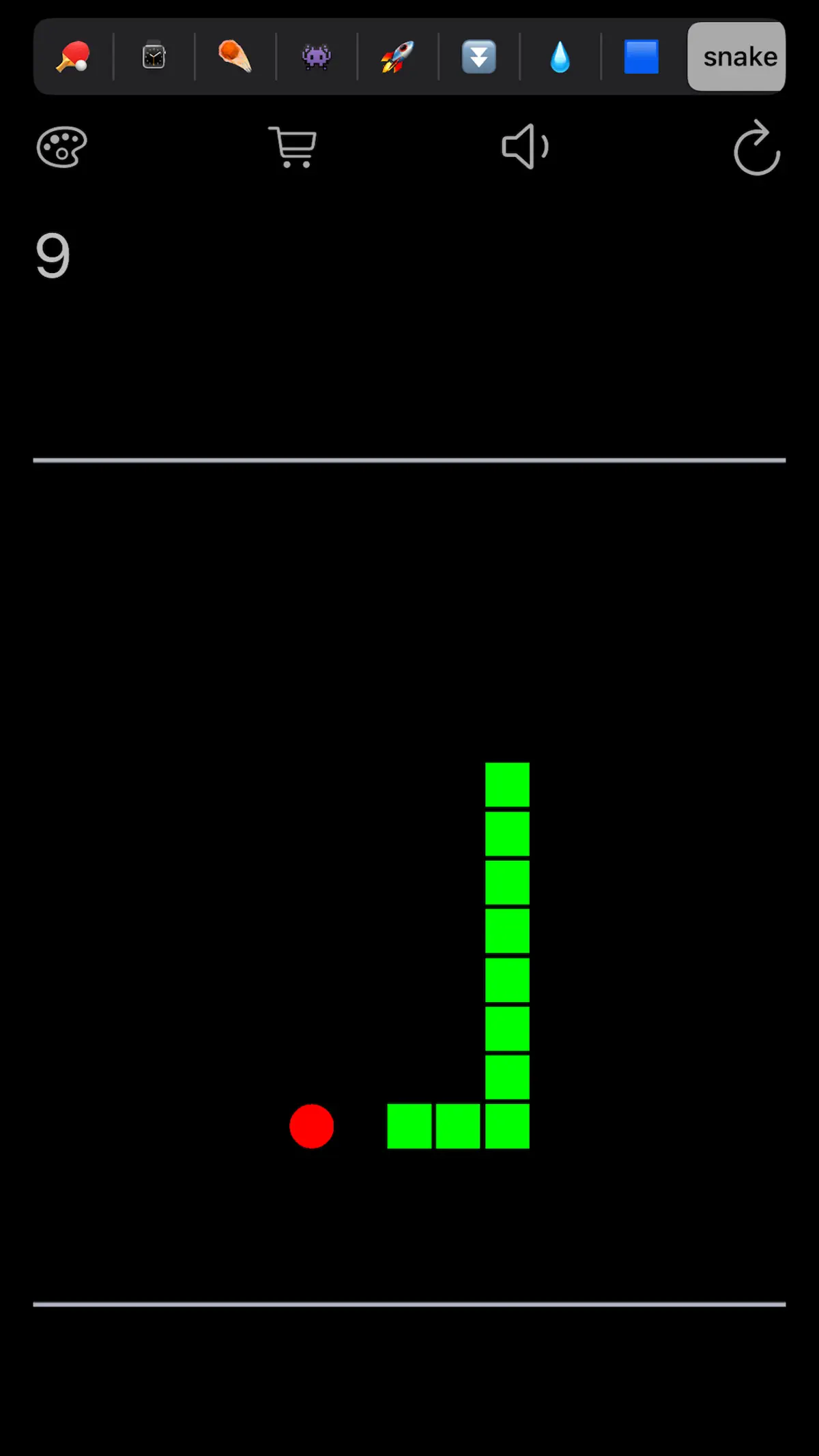


Ping Pong - Watch Retro Game for iPhone & iPad
More than 6 million downloads!
- 13 different classic game modes
- Intuitive control by turning the Digital Crown
- Unlock all levels of difficulty
- Unlock classic arcade game "break out" with 86 great levels
- Unlock classic arcade game "invader" with 86 colorful levels
- Unlock classic arcade game "jump" with endless fun and special mode
- Unlock classic arcade game "fall" with endless fun and flappy mode
- Unlock game "drop" with water and ice mode
- Unlock classic arcade game "tetris" with endless fun
- Unlock classic arcade game "snake" with nostalgic graphics
- Optional color "customizer" with alternative app icons
- Theme selector in "customizer"
- First local multiplayer: play ping pong on your iPhone versus your watch
- Earn an achievement in every game mode
- Compete on five leaderboards
What's new in Ping Pong - Watch Retro Game v12.2
Mar 16, 2026- New icon, also in dark mode
- Bug fixes
How to install Ping Pong - Watch Retro Game on iPhone & iPad
Method 1: With the IPA Game Store app
- Tap Get on IPA Game Store above, then download IPA Game Store in Safari on your iPhone or iPad.
- Open Settings › Profile Downloaded and tap Install. The app appears on your Home Screen.
- Open IPA Game Store and find Ping Pong - Watch Retro Game.
Method 2: From the App Store
Ping Pong - Watch Retro Game is also on the App Store. Installing it there means no signing and no 7-day refresh, and updates arrive automatically. View Ping Pong - Watch Retro Game on the App Store.
Method 3: Sideload an IPA you own
If you have your own copy of the IPA file, sign and install it with LiveContainer, SideStore or AltStore. Our IPA install guide compares every method.
Having trouble? See why an IPA installation fails or installing IPA on iPad.
Ping Pong - Watch Retro Game compatibility & known limitations
| Minimum iOS | iOS 12.0 or later |
|---|---|
| Devices | iPhone & iPad |
| Size | 49 MB download, plus extra data on first launch for many games |
| Internet | Online connection required |
| Release type | Official App Store release |
| Last checked | Not yet reviewed. Version data last changed Mar 16, 2026 |
Known limitations
- Installed from the App Store, so it updates automatically and needs no signing.
- Purchases, saved progress and sign-in with Game Center or social accounts can behave differently outside the App Store.
- Needs an internet connection. Servers can change or shut down at the developer's discretion.
Is Ping Pong - Watch Retro Game safe?
Source & verification
- Source
- Official App Store release
- Type
- Official release
- Developer
- Briegers GbR
- Last verified
- Not yet reviewed
- SHA-256
- Not published
We host no IPA file for this game. It is installed from the developer's App Store listing, or through the free IPA Game Store app, which also installs from the App Store. How we check files · Report a problem
- Check before you install. Only install IPA files from sources you trust, and verify the checksum and signature first.
- Developer: Briegers GbR · Bundle ID
com.brieger.pong - Sandboxed. iOS runs every app in its own sandbox. A game cannot read your other apps' data without asking you.
- Age rating 4+. Use Screen Time to limit in-app purchases on a child's device.
- Avoid "modded" copies. Modified IPAs that promise unlimited coins can include tracking code and can get your account banned. Read more about IPA safety.
Ping Pong - Watch Retro Game update history
| Version | Released | Size | Changes |
|---|---|---|---|
| v12.2 Latest | Mar 16, 2026 | 49 MB | • New icon, also in dark mode • Bug fixes |
Ping Pong - Watch Retro Game IPA — FAQ
How do I get Ping Pong - Watch Retro Game on iPhone?
Tap Get on IPA Game Store to open the Ping Pong - Watch Retro Game download page, then add the free IPA Game Store app to your Home Screen and find Ping Pong - Watch Retro Game there. Ping Pong - Watch Retro Game is also on the App Store. To sideload an IPA yourself, see our install guide.
Is Ping Pong - Watch Retro Game free?
Yes, Ping Pong - Watch Retro Game is free to download. It may offer optional in-app purchases.
What iOS version does Ping Pong - Watch Retro Game need?
Ping Pong - Watch Retro Game v12.2 needs iOS 12.0 or later. It runs on iPhone & iPad.
How big is Ping Pong - Watch Retro Game?
The v12.2 download is about 49 MB. Many games download more content the first time you open them, so leave some extra free space.
Does Ping Pong - Watch Retro Game work on iPad?
Yes. Ping Pong - Watch Retro Game supports iPad natively.
Is this a modded or clean IPA file?
IPA Game Store focuses on clean, verified original IPA packages. Every file is checked for authenticity and safety so you can sideload without malware or unauthorized tampering. Read our IPA safety guide.
More action IPA games
See all → Subway Surfers IPA
Sybo Games ApS
★ 4.7
 Sniper 3D: Gun Shooting Games
Wildlife Studios
★ 4.8
 Clash of Clans
Supercell
★ 4.8
 Call of Duty®: Mobile
Activision Publishing, Inc.
★ 4.7
 Bowmasters - Multiplayer Games
Playgendary Limited
★ 4.5
 PUBG MOBILE
Tencent Mobile International Limited
★ 4.3
 Angry Birds 2
Rovio Entertainment Oyj
★ 4.6
 Helix Jump
Voodoo
★ 4.6
